

 |
First |  |
Previous |  |
Back to Index |  |
Next |  |
Last |
| 149 records found. Page 3 of 15 displayed. | |||||||||
For most of the photos on this page, you can click the image for a larger picture.
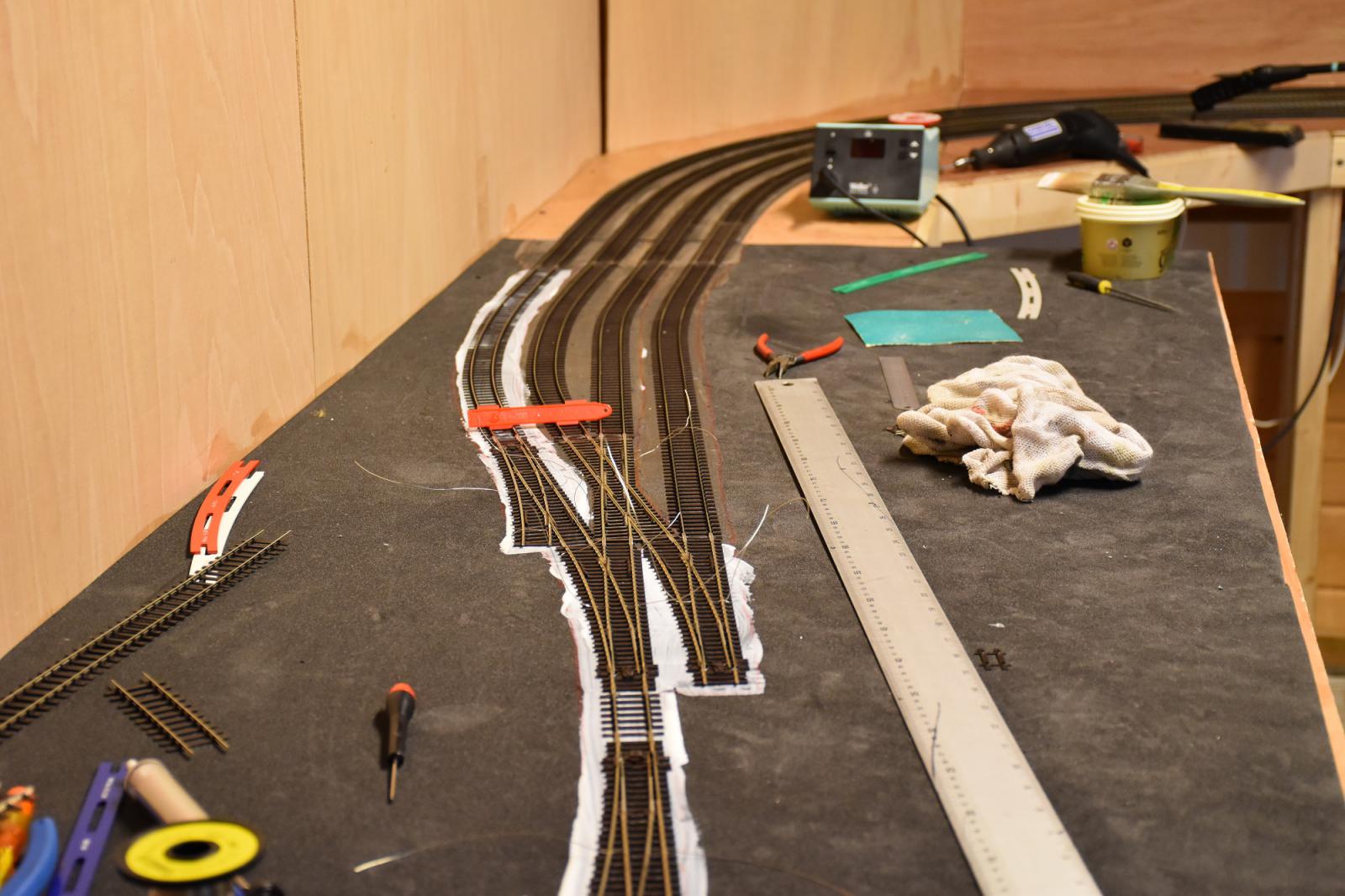 |
October 2015 I use a Peco track gauge (the red plastic spanning the tracks) to make sure the parallel track is aligned with the track laid previously. The Tracksetta templates are run along the track to remove any kinks. With turnouts I now place a block of wood on the track and a weight on top of that. Sometimes the turnouts are slightly high in the centre and a bit of weight helps them fix better. |
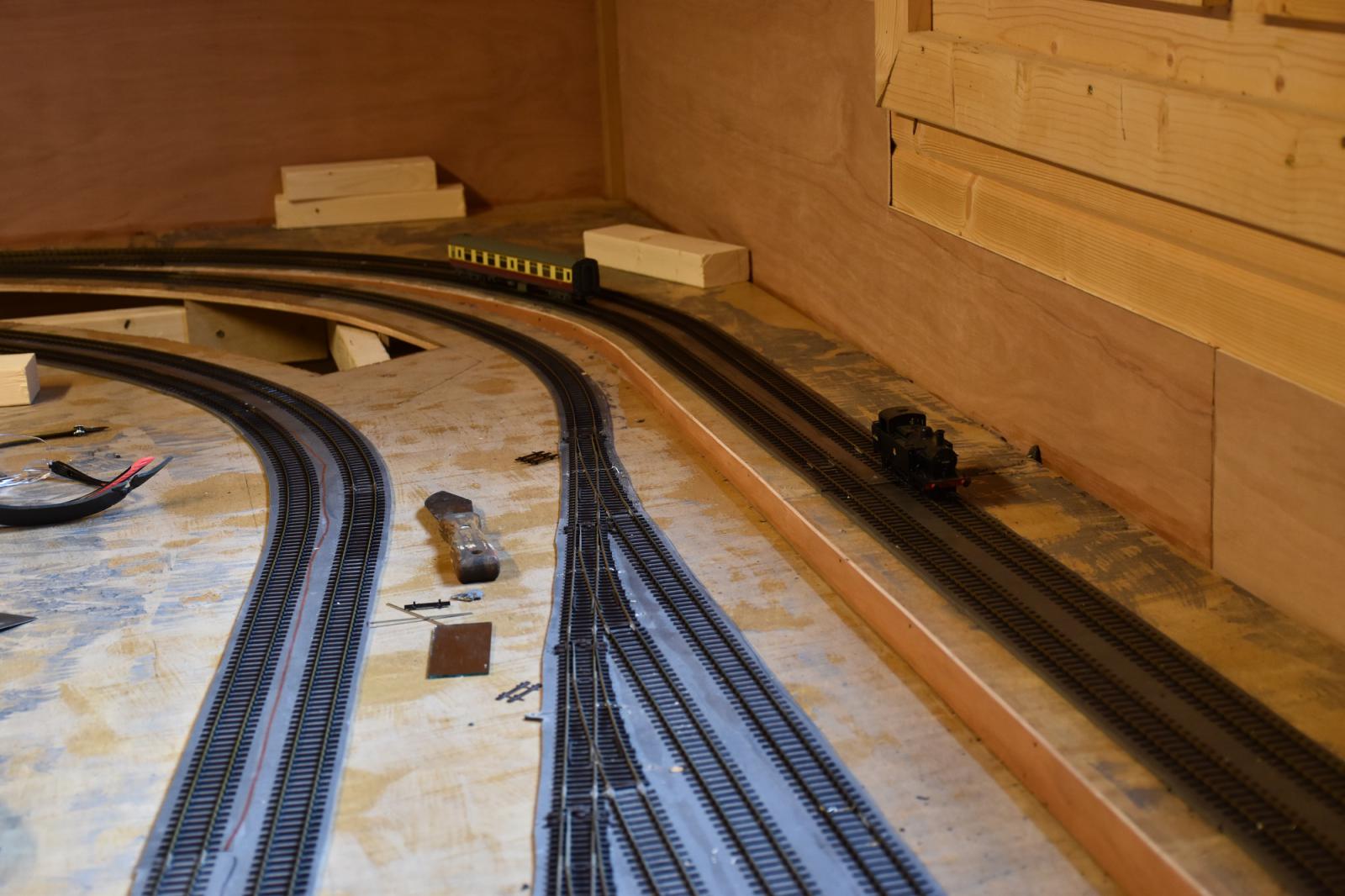 |
October 2015 Going round the bend on the branch, there is the east end of the carriage sidings and the branch climbing upwards. On my last layout, I used in in 50 which was a bit to steep so this is 1 in 100. |
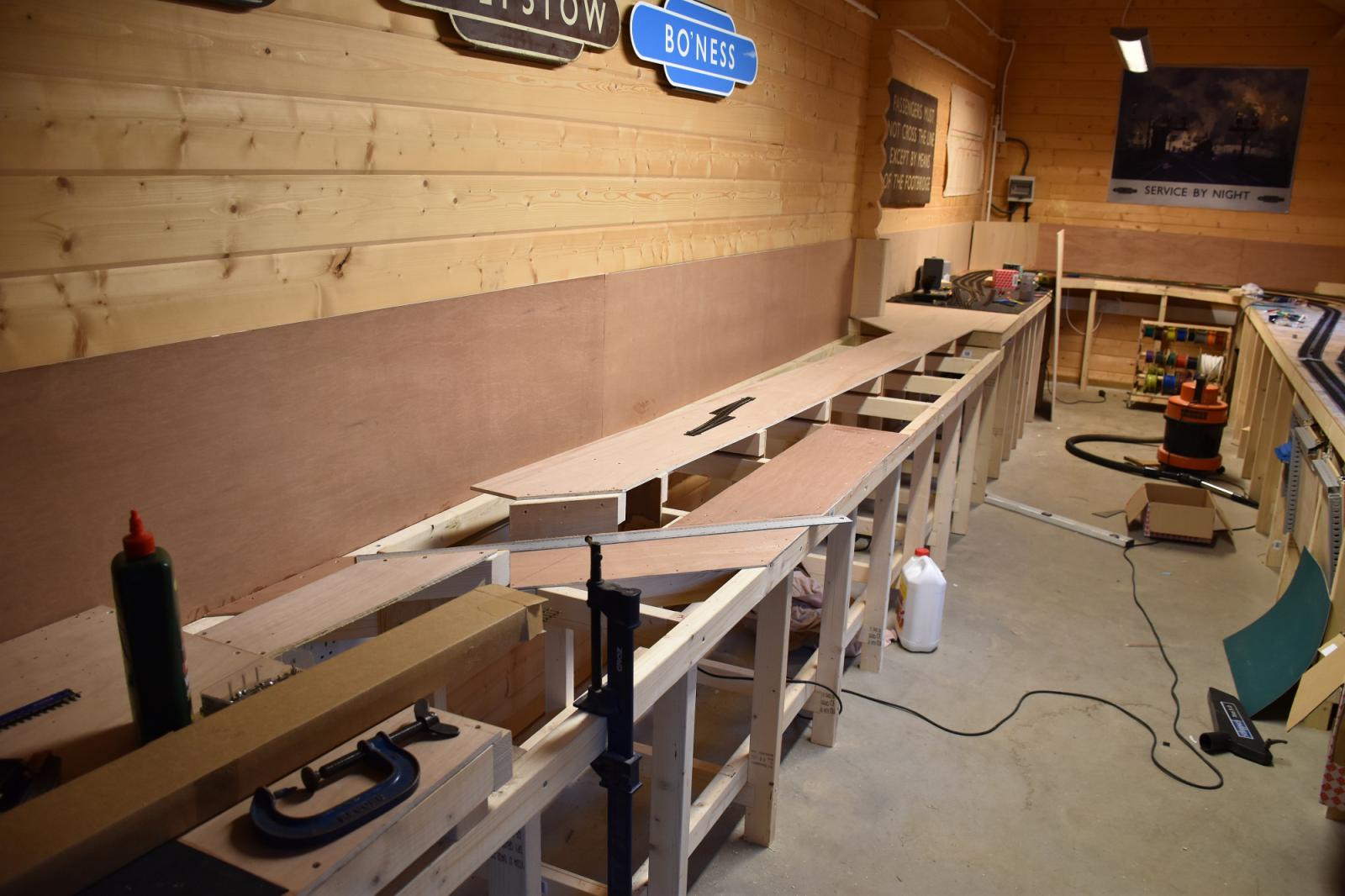 |
November 2015 On the other side of the shed, progress is being made. You can see where the canal bridge is going. |
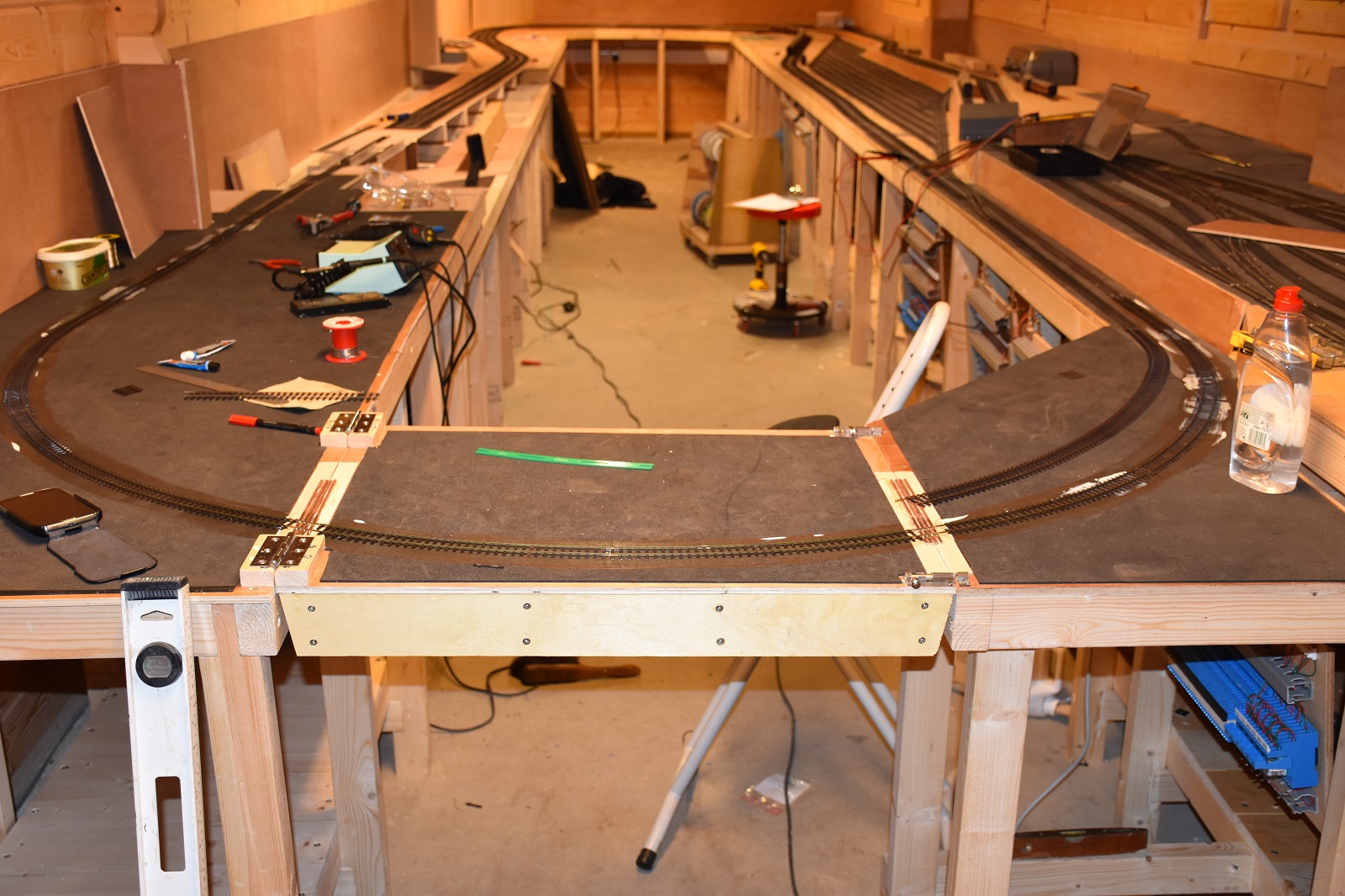 |
November 2015 Mid November and the drawbridge is now in place to complete the loop. My method for crossing the gap is to glue down some thin plywood to the baseboard top with the same thickness as the foam using PVA glue. I then araldite copper clad sleeper to the plywood. I align this with edge of the board and not at 90 degrees to the rail. Ideally you should cross the join at right angles but that's going to be difficult here and result in too sharp a curve. The rail can then be soldered down to the copper clad sleeper. Once both tracks have been laid and the glue well set, I can cut the gap with a razor saw or a slitting disc. |
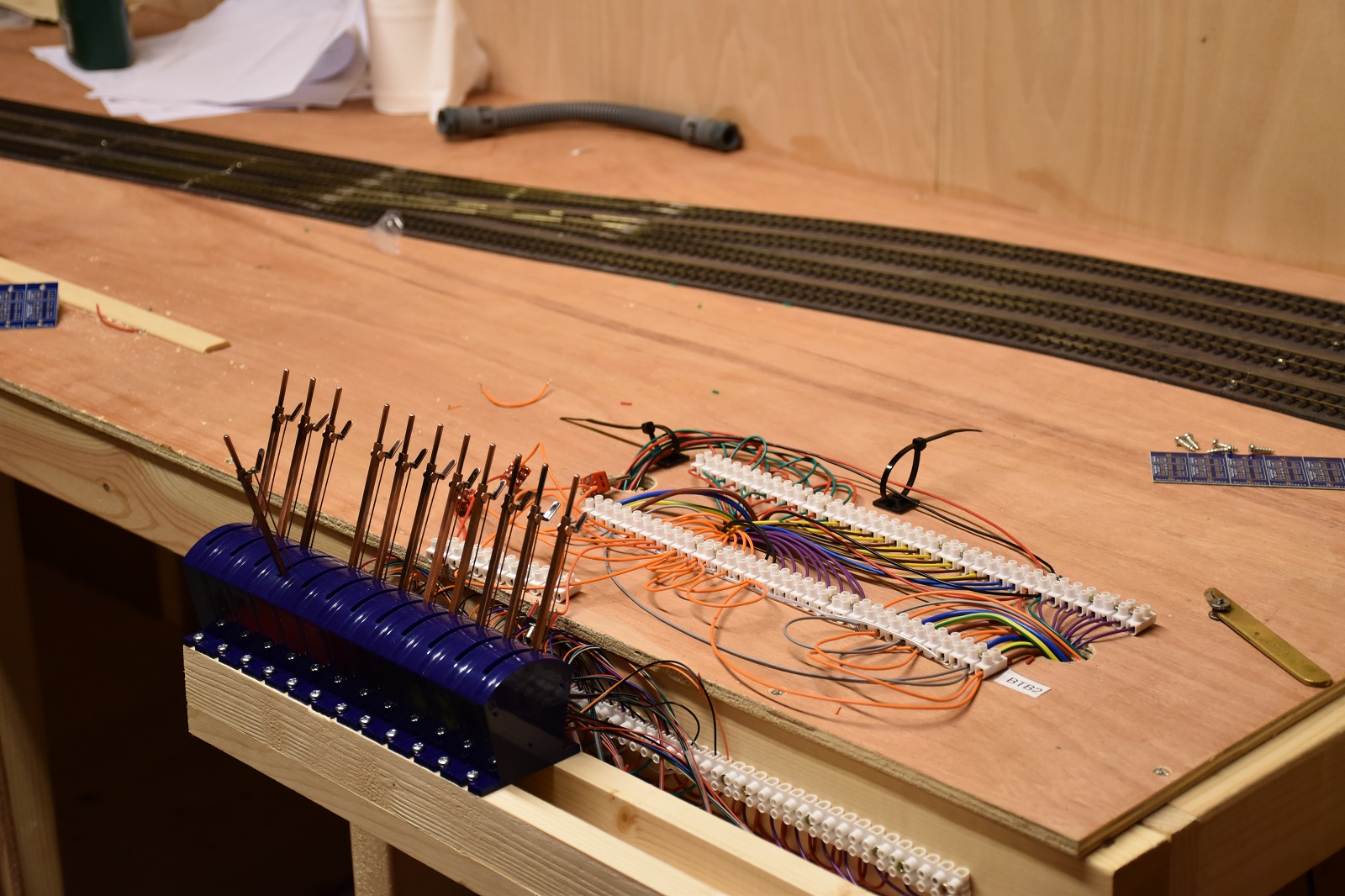 |
December 2015 Having spent most of the summer and autumn working underneath the layout, it's nice to start working on top of it. I need to start building the signal box control panels for the 4 panels needed. This is the double junction where the terminus branch meets the main circle. I'm using DCC Concepts switches here - I am quite impressed as they seem big enough to remember which lever is which. The screw terminals will sit under the mimic panel which will sit behind a building or a hill. I've designed a 4 relay design to 1. Control the Motors on the double junction 2. Switch the polarity and select the inner or outer circuit feed as appropriate 3. Provide flank protection to avoid conflicting routes Designing a full scale relay interlocking system must have been a nightmare! It's bad enough with 4 relays. |
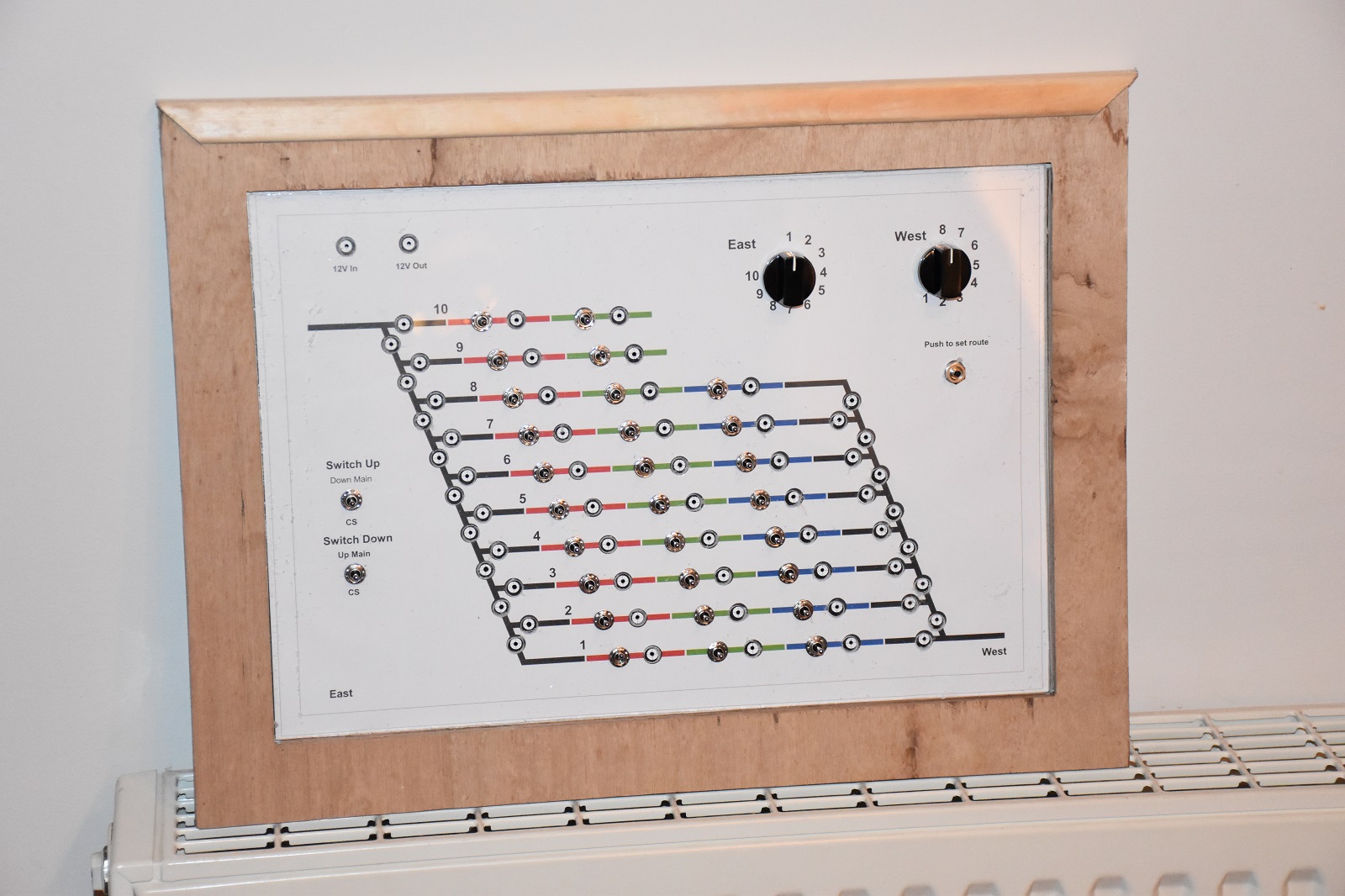 |
January 2016 Wiring seems to go on for ever with not much sign of progress. This panel is for the fiddle yard or carriage sidings. I use an old version of Design CAD Express to draw the control diagram. This one is printed on A3 paper. It sits on top of a sheet of 1mm thick aluminium with a sheet of 1mm thick clear acrylic sheet on top of that. Once everything is clamped up, I start drilling holes. It's very tedious as I need to start of with a small drill bit and work up gradually. If you try to go in with the right size drill bit to start, it just grabs the acrylic and makes a mess. Either you end up with a not very round hole or the acrylic cracks. As the drill bits get bigger you need to start off with a very slow speed - again otherwise the drill bit just grabs. Later on I discovered a much better way to do it. The idea is to set the route with the rotary switch and press the switch to then operate the motors that need to move. Otherwise a motor would operate at each switch position. In the centre, switches operate the isolating sections and LEDs (not yet fitted will indicate which controller is in control. |
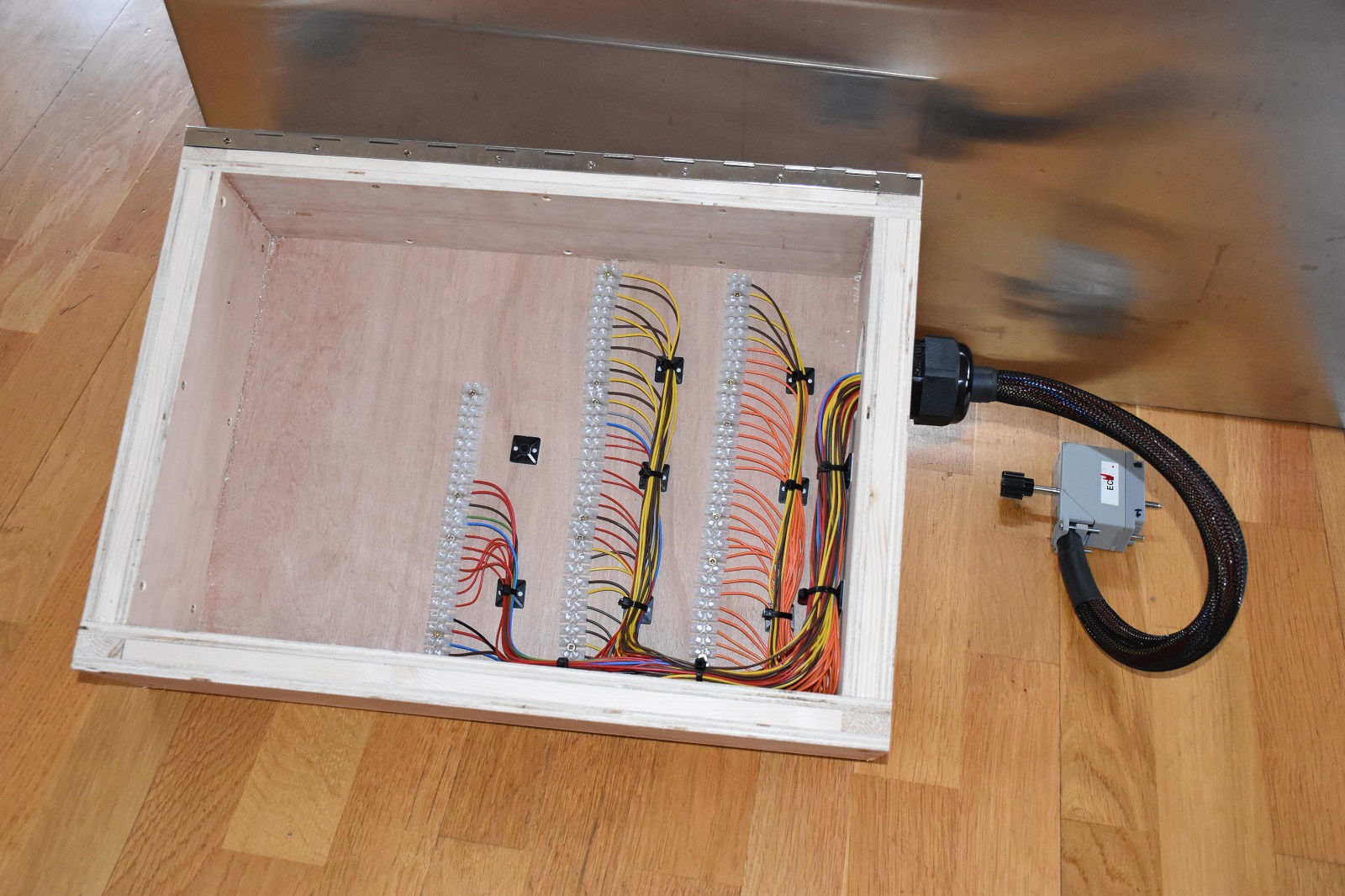 |
January 2016 Here's the box it sits on. A bit over the top I know but I don't want it to distort. A flying lead with a 90 way plug connects this to one of the swing boards underneath the baseboard. It took all Sunday morning to get to this stage and that was with the plug wired up. |
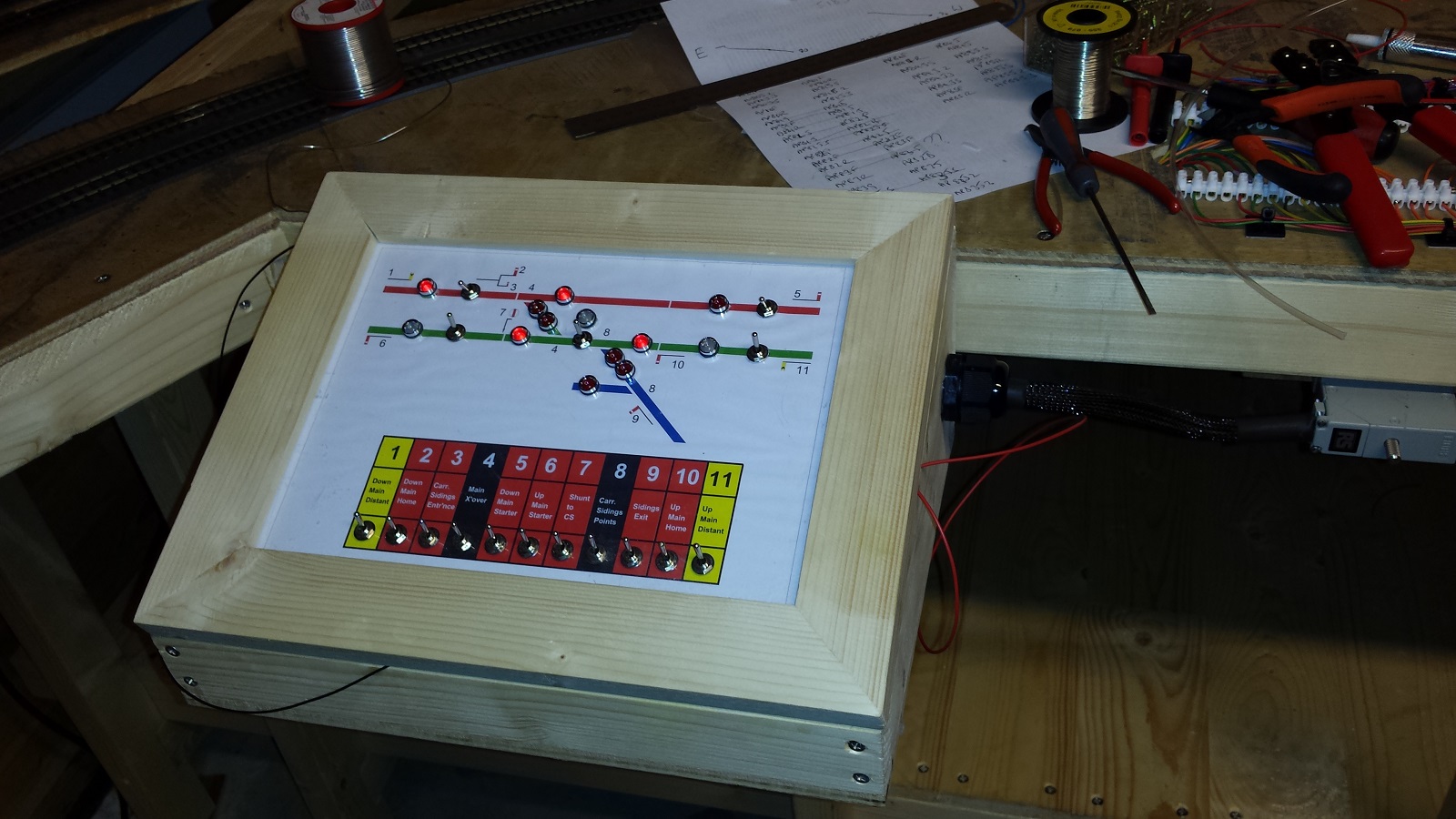 |
February 2016 This box is for the signal box controlling the east exit from the carriage sidings. As you can see I've finally managed to get some indicator lights on. It's slow work. |
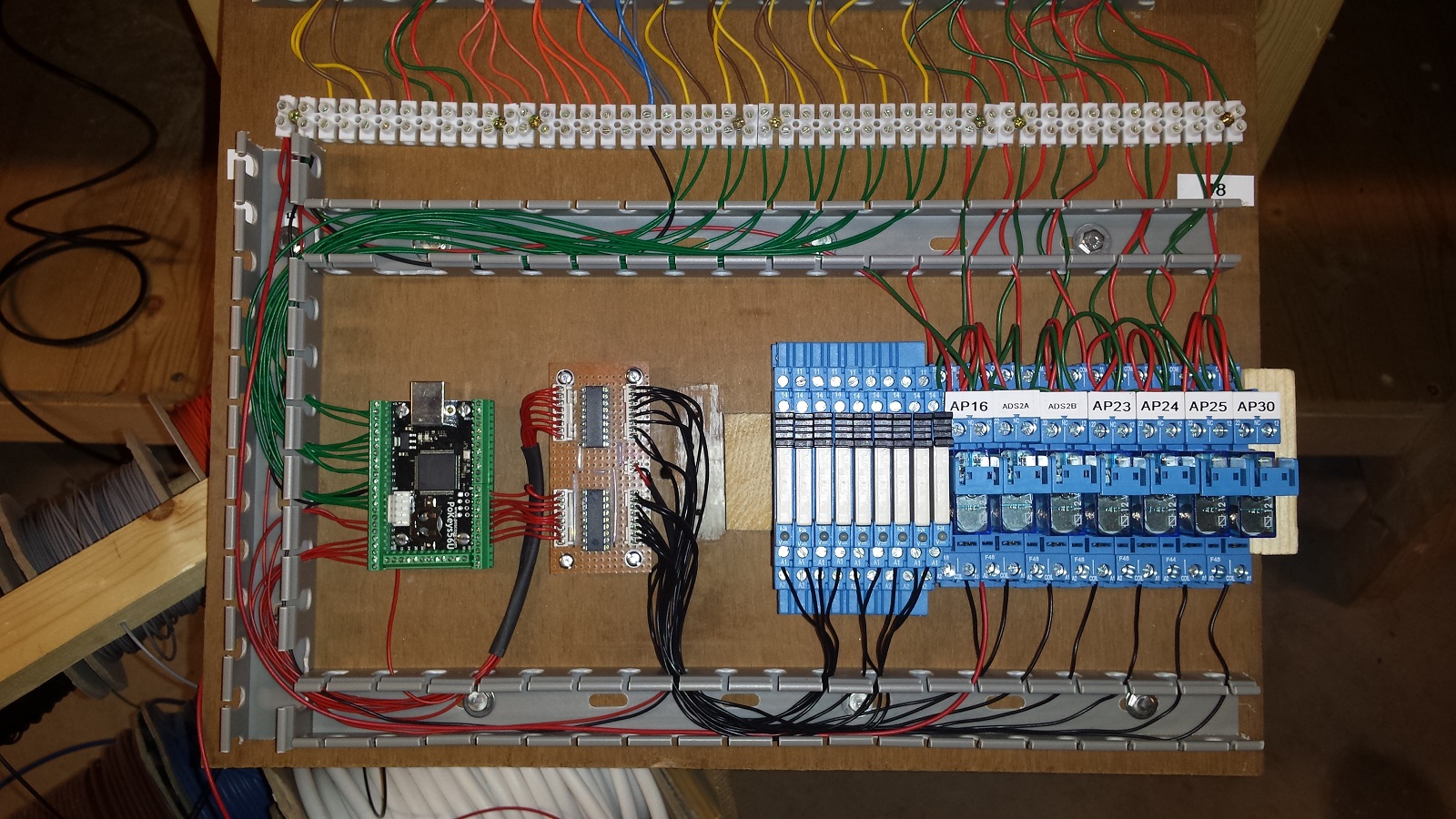 |
April 2016 I've been plodding on for a while now and it's difficult to see progress. Here's one of the wiring boards nearing completion. On the left with the green connectors is a Pokeys device. This is a neat I/O device that provides over 50 ports which can be programmed as inputs or outputs (and other things besides). It connects to the controlling PC via USB. The green wires are the inputs from the point motors (to detect if normal or reversed). The red wires go to drive relays. To the right of the Pokeys device are 2 ULN2803 Darlington Transistor Array packages. These amplify the outputs so that relays can be driven. The narrow blue packages are single pole relays that I use to switch isolation sections and power sections. The other blue packages are double pole relays used to reverse the voltage to point motors. There's 5 of these boards and I'll need another one yet to drive the signals. |
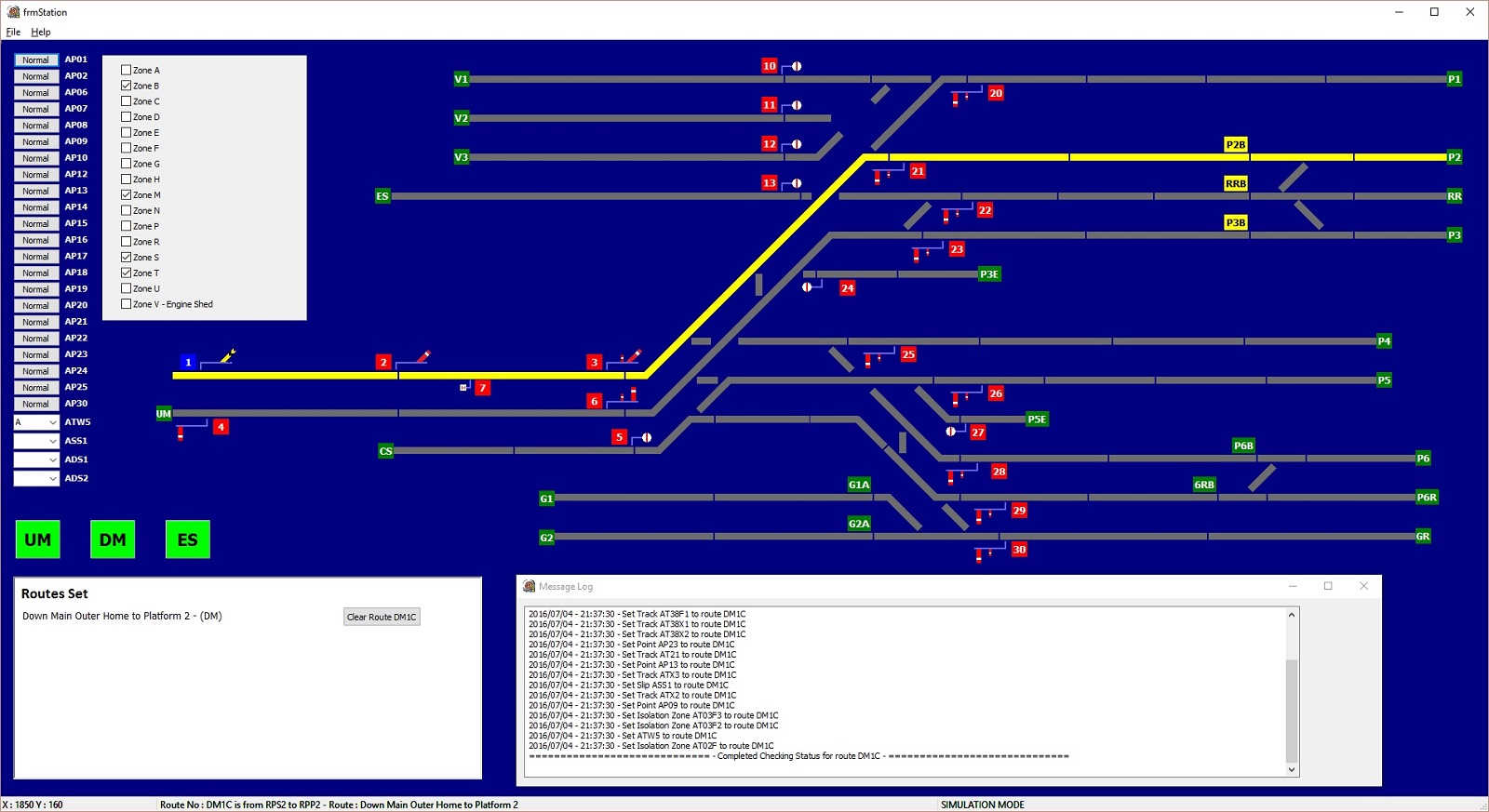 |
April 2016 This is the software application that I'm developing for the station. Some parts of it are for debugging so they will disappear in the final version. The idea is that you select the controller you want (Up Main, Down Main or Engine Shed). You the select the start point of the route and the end point. The software checks that all of the components are not locked by a different route, sets the points to the required position, checks they have moved to the right position, locks all of the components to the select route and controller and then clears the signals. A database sits behind it which defines all of the items on the screen. You allocate track items, power zones, isolation zones and signals to the route in the database. It's taking a fair amount of work to debug the database and wiring but trains are running! You can see it in action here. |
|
First | |
Previous | |
Back to Index | |
Next | |
Last |
| 149 records found. Page 3 of 15 displayed. | |||||||||